macOS
DMG installer
Installer coming soon AutoBruBY IRN-BRU NEBULA
Stretch, colour and refine your astrophotography in one place. Make every adjustment yourself, or work alongside an AI assistant that can see your image.
macOS, Windows and Linux. Installers coming soon.
DMG installer
Installer coming soonWindows installer
Installer coming soonAppImage
Installer coming soon
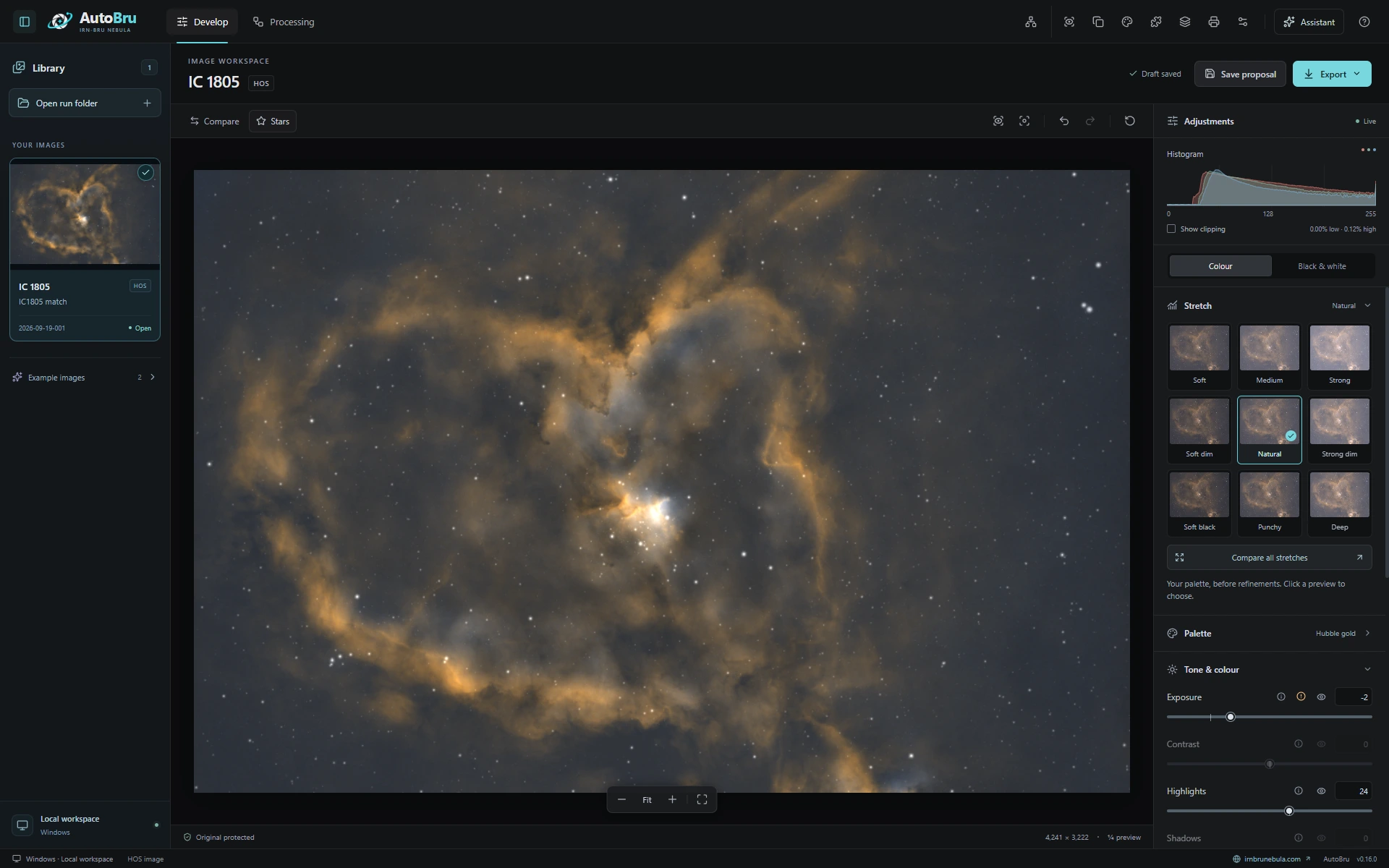
A live preview, visual stretch choices and the controls you need, together in one workspace.
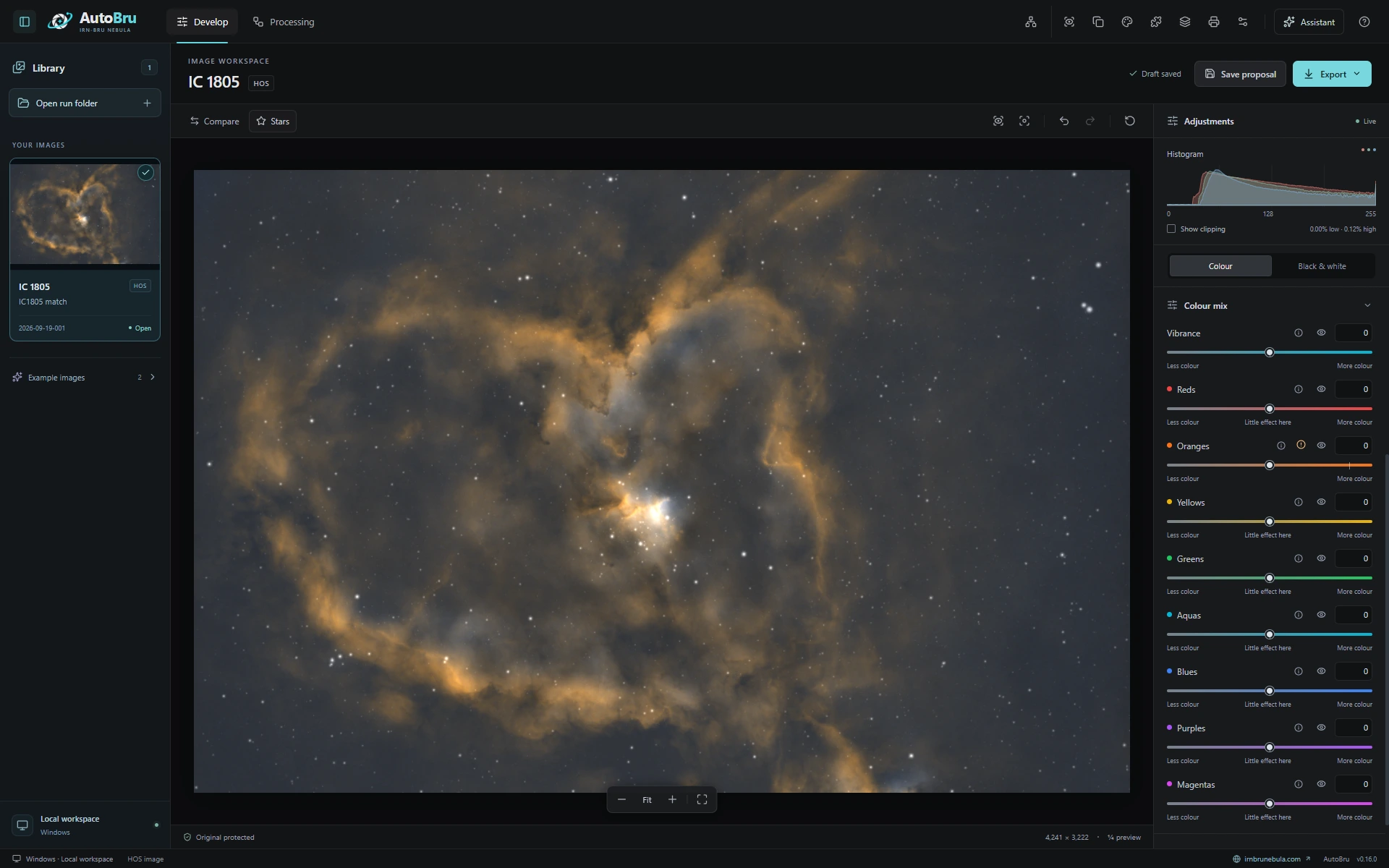
Fine-tune vibrance and individual colours while keeping your image in view.
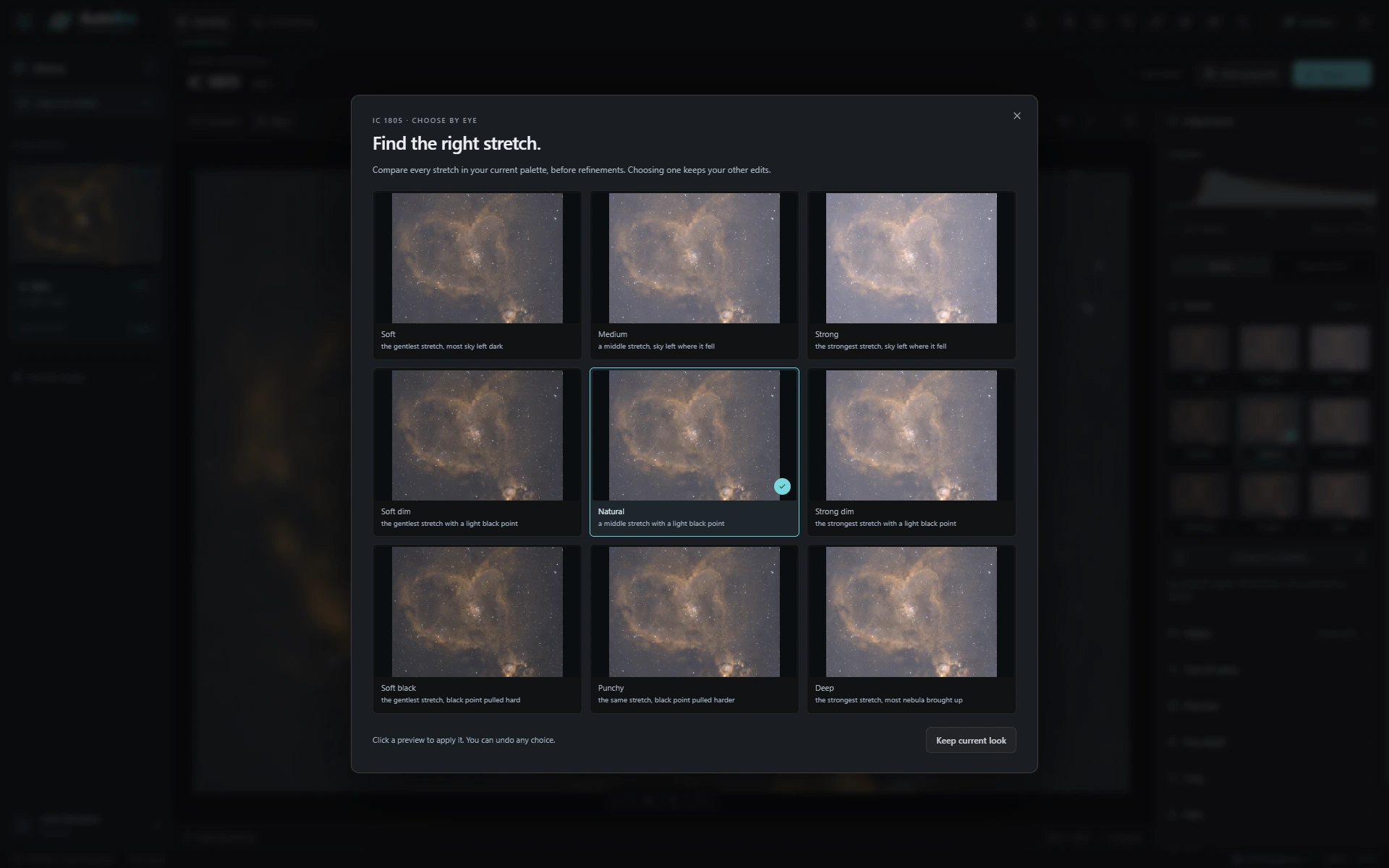
Compare nine stretches in your current palette before refinements. See the choices before you apply one.
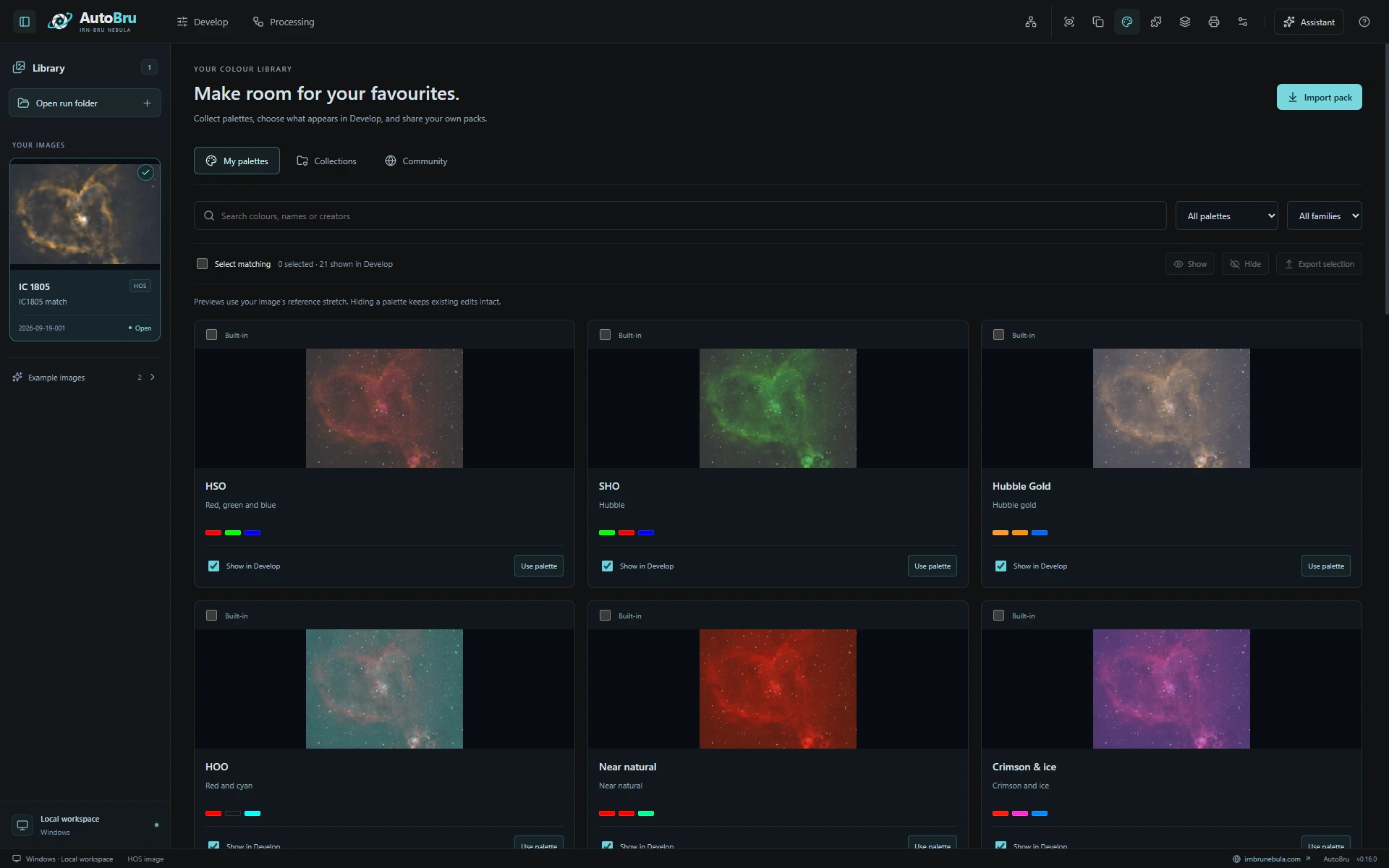
Preview palettes on your own image, keep your favourites and import or export packs to share.
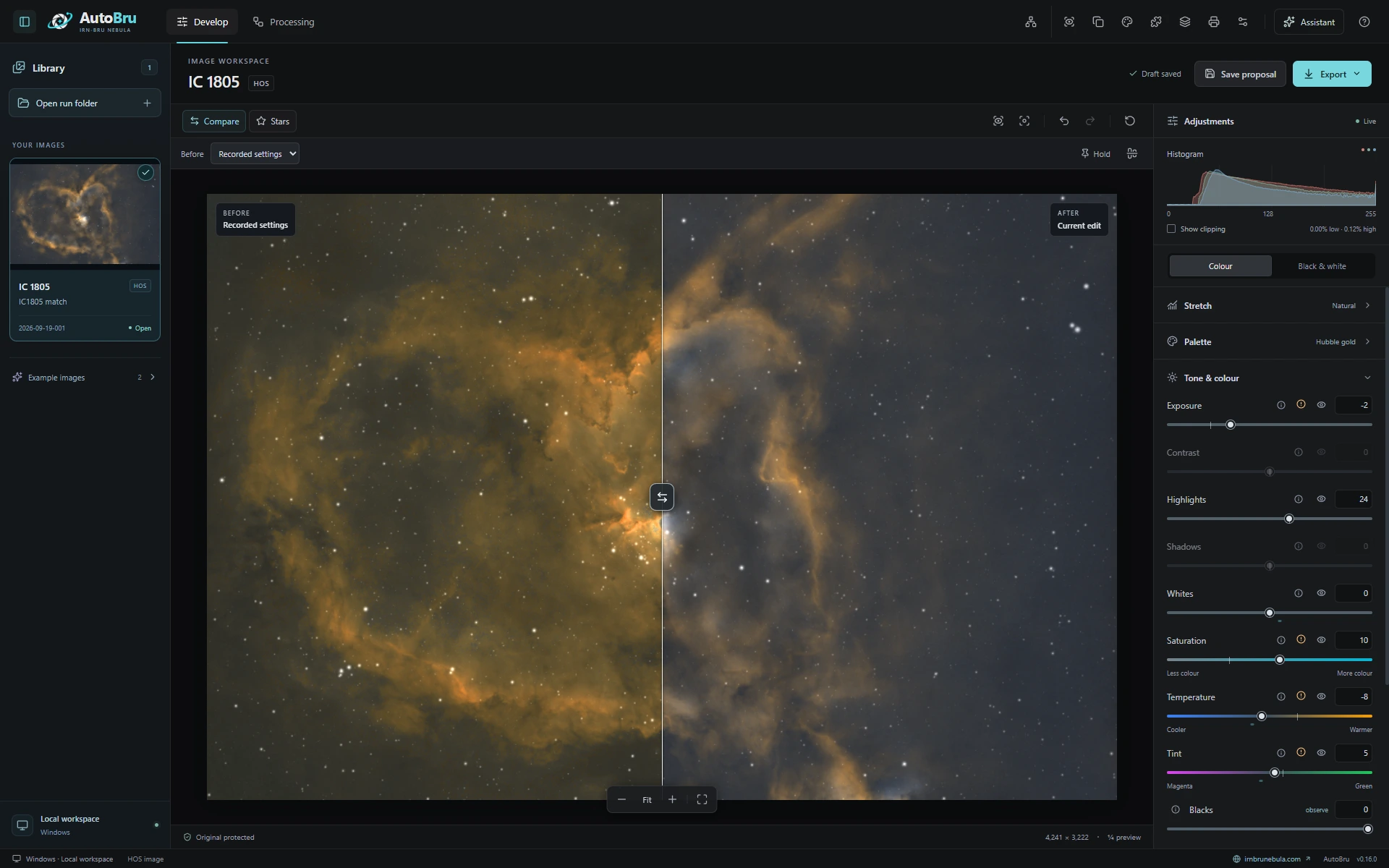
Move the divider to compare edits. Here, the recorded settings are on the left and the current edit is on the right.
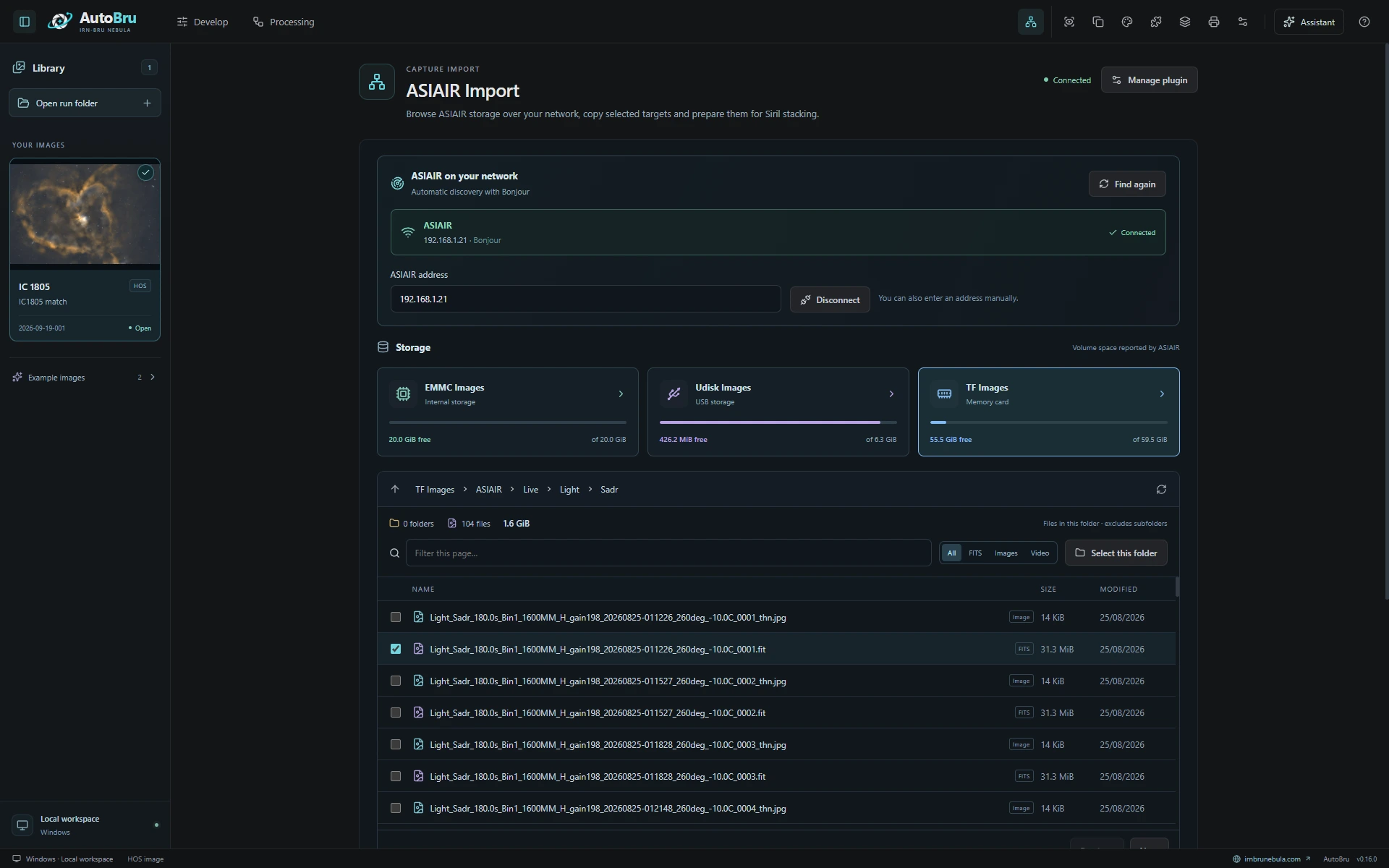
Discover your ASIAIR, browse its storage and choose the captures you want to bring into your local workspace.
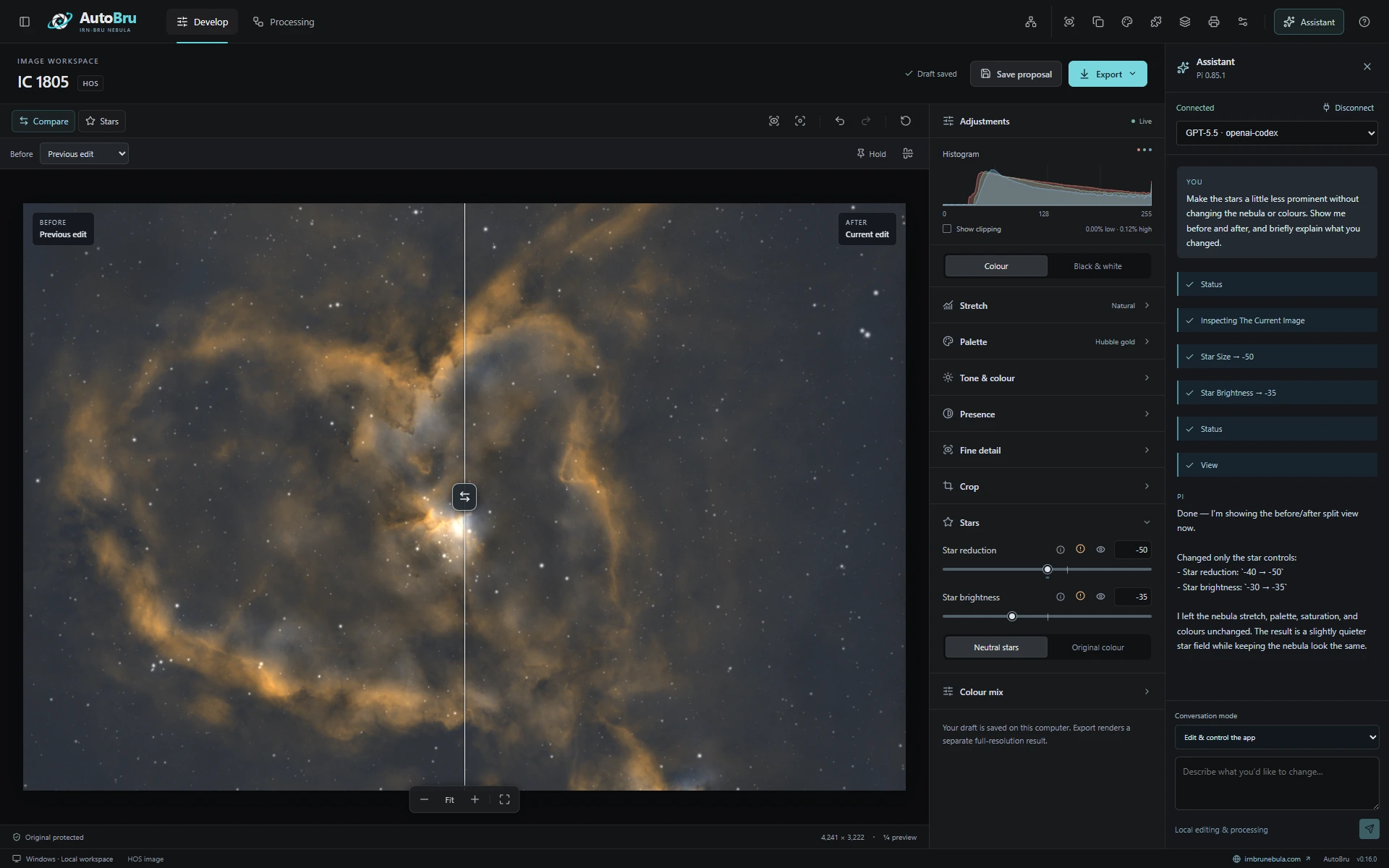
A real Pi session: the assistant inspects the Heart Nebula, adjusts star reduction and brightness and opens a previous-edit comparison, keeping the nebula and colours unchanged.
A starting point you can see. Fine adjustments you can judge. Room to find your own look.
From a gentle stretch to a deeper finish, compare real previews of your image side by side.
Start with a palette, refine the balance and save your favourites. Share colour recipes as portable palette packs.
Adjust stars, tone and fine detail. Use the before/after divider, saved versions and undo to judge each change.
Connect Pi with your own supported AI account. Ask it to inspect your image, adjust the look or help with your workflow. The assistant works through AutoBru’s controls, and you see the changes in the app.
Keep the conversation beside your image. Compare each result, steer the next step or take over yourself.
“Make the stars a little less prominent without changing the nebula or colours.”
Pi inspected the image, adjusted star reduction and brightness, and opened a comparison with the previous edit. The nebula and colour settings stayed the same.The assistant can inspect your actual preview and current settings, then use the same stretch, palette, colour and star controls you do.
Ask it to open projects, choose tools, prepare processing settings, manage palettes or work with saved versions. App control is built into the conversation.
Watch the actions as they happen. Steer or stop the assistant, compare before and after, and undo its edits. You can also ask for alternatives without changing your current look.
Your account. Your choice. Connect a supported provider through Pi. The assistant is optional; AutoBru’s manual controls are always there.
Start with your prepared stacks, or bring supported original frames through Siril. AutoBru keeps the next step close at hand.
The ASIAIR plugin finds devices on your network with Bonjour. Browse storage, check sizes and copy the targets you choose.
Prepare those files for the Siril workflow, with the originals kept on your device.
Built as a plugin. Ready to grow.Open supported linear masters, or calibrate and stack original frames with Siril.
Choose your stretch and palette. Refine the colour, nebula and stars.
Save your choices and render a separate result at full resolution.
Siril for stacking. GraXpert for background work. NoiseXTerminator or GraXpert for denoising, and StarXTerminator for star separation.
AutoBru is our desktop workspace, connecting local astronomy tools, an image editor and an optional AI assistant. Nebula Studio is the editor you can use directly in your browser.
We’re preparing AutoBru for macOS, Windows and Linux. Each platform’s download will appear at the top of this page when its installer is ready. Platform requirements will be provided with the release.
Prepared AutoBru runs, or stacked linear mono FITS masters in H, H/O or H/O/S. The Siril workflow also handles supported original mono FITS and camera raw sessions with calibration frames. Input support is expanding as development continues.
You can edit a prepared run without connecting an assistant. The current full processing pipeline uses licensed StarXTerminator for star separation, with either licensed NoiseXTerminator or free GraXpert for denoising. The optional Pi assistant connects to your own supported provider account.
Image processing runs through local tools on your computer. Exports are separate from your originals. If you connect the AI assistant, workspace context and image previews used in that conversation can be sent to your chosen AI provider.